The Decision That Comes Down to What You Already Have — and What You Actually Need
This choice usually surfaces when a woodworker, fabricator, or small shop owner hits a wall with their current setup. Either the machine they own isn't performing the way they imagined, or they're evaluating whether to invest in a dedicated brand with a reputation for reliability rather than patching together a workhorse with aftermarket parts. The people deciding between upgrading with accessories versus committing to a Prover CNC router tend to fall into two camps: those with an existing machine they're reluctant to retire, and those starting fresh with a defined budget and workflow in mind.
See current cnc routers listings on eBay.
CNC Router Accessories — Key Characteristics
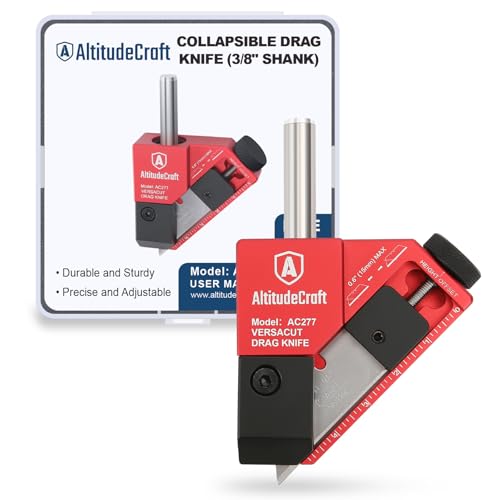
Accessories cover a wide spectrum — spoilboard surfacing bits, dust collection boots, vacuum hold-down kits, tool length sensors, spindle upgrades, drag chains, limit switch kits, and more. The appeal is obvious: you can incrementally improve a machine you already own without a major capital outlay. Swapping a trim router for a 2.2kW water-cooled spindle, for example, can dramatically improve cut quality and reduce noise on a mid-range machine like a Shapeoko or a Bulkman3D build. Adding a proper vacuum table transforms workholding from a frustrating tape-and-clamp routine into something repeatable and production-friendly.
The downside is cumulative cost and compatibility headaches. Accessories sourced from different vendors — a Kennametal bit here, a Sienci Labs dust shoe there — don't always play nicely together, and you can end up with a Frankenstein rig that's harder to troubleshoot. There's also a ceiling. If the base machine has a flimsy gantry, undersized stepper motors, or poor linear rails, no accessory package will fix fundamental rigidity issues. Accessories make a good machine better; they rarely rescue a bad one.
Prover CNC Routers — Key Characteristics
Prover positions itself in the prosumer-to-light-industrial segment, offering machines like the Prover 4896 and similar formats with all-steel welded frames, rack-and-pinion or ballscrew drive systems, and integrated control panels running Mach3, Mach4, or DSP controllers depending on configuration. The build quality out of the box is a genuine step up from hobby-class machines. You're getting consistent Z-axis rigidity, higher rapid speeds, and a frame that doesn't flex under aggressive passes through hardwood or aluminum composite.
The trade-off is the upfront cost and the learning curve. A Prover router in the 4x8 format typically runs between $3,500 and $7,000 depending on spindle, controller, and whether you're sourcing direct or through a reseller. Setup requires some mechanical literacy — squaring the gantry, tramming the spindle, dialing in the drive system. Support can be inconsistent if you're buying from overseas distributors rather than a domestic dealer. Still, for sign shops, cabinet makers, or anyone cutting sheet goods at volume, the rigidity and repeatability justify the investment quickly.
Which Should You Choose?
- You own a capable mid-range router and want better results: Start with accessories. A quality surfacing bit, a proper collet set, and a vacuum hold-down solution can unlock performance you're not currently getting without spending four figures.
- Your current machine has structural limitations: Accessories won't fix a wobbly gantry or undersized motors. If you're fighting the machine more than running it, a Prover or similar rigid-frame router is the smarter move.
- You're cutting sheet goods — MDF, melamine, plywood — at any kind of production pace: Prover's larger bed formats and ballscrew or rack-and-pinion drives are built for exactly this. The repeatability alone saves material and rework time.
- Budget is the primary constraint right now: Accessories win on flexibility. You can spread the spend over months, prioritizing the upgrades that solve your most immediate bottlenecks.
- You're building a small commercial shop from scratch: Don't start with a hobby machine and try to accessorize your way into production capacity. A Prover-class machine from day one sets a foundation that scales.
- You need specific capabilities like rotary axis work or laser engraving: Many CNC routers can be accessorized for these workflows far more affordably than buying a second dedicated machine.
Neither path is wrong — they solve different problems at different stages. Accessories extend and specialize a platform you already trust. A Prover CNC router resets your baseline when that platform has run out of room to grow. Know which situation you're actually in before you spend a dollar either way.
Ready to shop? Browse a wide selection of cnc routers on eBay: View current listings
See also: Test Bench Tools — a related resource for enthusiasts in this space.